 Bitcoin Canvas
The Bitcoin Canvas field guide · 04
Bitcoin wallets, self-custody and recovery
A lost phone is not always a lost wallet.
“I lost my phone. Is my bitcoin gone?” depends on what the phone was doing. It might have held signing keys, provided access to a service account, or simply displayed a balance. Work out which before trying to restore anything.
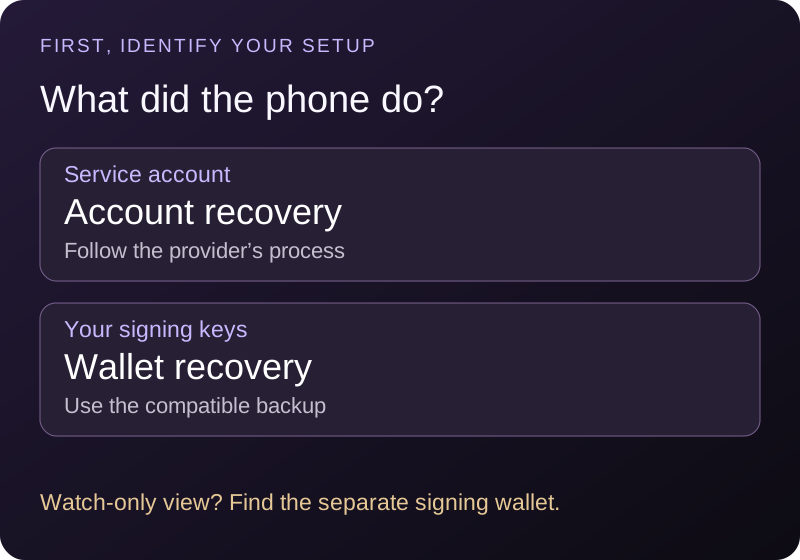
Start with who controls the keys.
With self-custody, your setup controls the material needed to authorize spending. A custodial service holds the keys and lets you manage an account. A watch-only wallet observes public information without the keys needed to spend.
A product can offer more than one mode. Branding and the word “wallet” are not enough to identify yours. Check the exact app, account type and backup method you originally set up. Do not infer that a displayed balance means that app can send the funds.
| Setup | What you need to investigate |
|---|---|
| Custodial account | The provider’s account recovery, identity checks and two-factor recovery |
| Self-custody wallet | The wallet’s compatible backup and any additional required information |
| Watch-only or manual tracker | How to restore the view; the spending wallet is separate |
Password, PIN, phrase and passphrase.
An app password or device PIN may unlock a local app or encrypted file. It is not automatically a backup of the wallet’s keys. A recovery phrase can be used by compatible wallet software to derive keys, but wallet standards vary.
For a BIP 39 passphrase, the exact passphrase is an additional input alongside the recovery words. Changing it produces different keys. A misspelling can therefore open a different, empty wallet instead of displaying a helpful “wrong password” message. See the BIP 39 specification.
Compatibility matters too. Not every sequence of recovery words uses BIP 39, and some setups require wallet configuration, scripts or multiple signers. Electrum’s documentation, for example, describes its own seed system. Follow the documentation for the wallet that created your backup.
Never paste private keys, recovery words or a passphrase into a support message, search engine or chat with Penny. A person asking for them to “verify” your wallet is not providing a normal account check.
A practical lost-phone decision path.
- Was this an account with a custodian? Use the provider’s official recovery process. Losing a two-factor device may require a separate recovery step. A password reset is not the same as an immediate withdrawal approval.
- Was this a self-custody wallet? Identify the original wallet and backup type. On a trusted replacement device, obtain wallet software through the provider’s verified distribution route and follow its restoration instructions.
- Was the phone only a companion to a hardware wallet? The signing device may still hold the keys. Follow its official instructions to reconnect a compatible companion app; losing the phone does not necessarily require entering the recovery phrase anywhere.
- Was this only a tracker or watch-only view? Restoring that view does not recover spending authority. Find the separate wallet or service that can authorize transactions.
Bitcoin Canvas is a tracker: exchange connections are read-only, on-chain wallets are watched by address, and manual entries are numbers you typed in. Reinstalling the app and signing in restores your view. It never held your keys, so it cannot recover or move your bitcoin. Recover through the wallet or exchange that does.
If the only usable signing device and all necessary backups are gone, there may be no recovery path. A self-custody wallet has no central password-reset desk. Be skeptical of anyone promising guaranteed recovery in exchange for a fee or your secrets.
Why might a restored wallet look empty?
An empty screen does not, by itself, identify the cause. The app may still be synchronizing, using a different account or address type, or deriving a different wallet. A missing or incorrect passphrase is another possibility.
Work from your own records: original wallet name, backup type, whether you used an extra passphrase, and any account configuration required by its documentation. Verify that the application has completed its normal sync before interpreting the display. Avoid cycling through unfamiliar recovery websites or sharing the backup to “check” it.
Multisignature and Lightning setups can require information beyond ordinary recovery words. In particular, do not assume restoring on-chain keys also restores live Lightning channel state. Use the specific wallet’s recovery procedure for that mode. LND’s recovery documentation illustrates why channel backups are separate from ordinary on-chain key recovery.
What to document before a phone is lost.
Create a recovery plan while you still have access. Record which provider or wallet you use, which type of backup it requires, whether an additional passphrase or signer is involved, and where the official instructions can be found. Keep secrets private and protected separately from ordinary notes.
Use the wallet’s documented backup-verification process where available. Understand what it checks: verifying recovery words is not necessarily a complete test of every account, channel or multisignature configuration.
For the underlying security principles, see Bitcoin.org’s wallet security guidance. For the distinction between public receiving information and private recovery material, revisit receiving, spending and recovery.
Finally, recovery and payment compatibility are separate questions. After restoring access, check the receiving method before making any payment, and review its fee preview.
Common questions
Can support recover my seed phrase?
A self-custody provider generally cannot recreate secret material it never held. A custodial service may recover access to your account through its own process; that is a different arrangement.
Does knowing my Bitcoin address let me recover the wallet?
No. An address can help identify public activity, but it does not provide the secret material required to authorize spending.
Can I restore every wallet in any other wallet app?
No. Backup formats, derivation settings and advanced configurations differ. Use documented compatibility rather than assuming the same number of words means the same system.
Sources & editorial notes
Written by Bitcoin Canvas. Updated October 2, 2026. Diagrams and numerical examples are original teaching aids, not live quotes or recommendations to transact. Wallet features, service charges and recovery procedures can change; check the documentation for your exact setup.
- Bitcoin.org: securing your wallet ↗
- BIP 39: recovery words and passphrases ↗
- Electrum: seed and restoration FAQ ↗
- Lightning specifications: channels and protocol ↗
Something unclear? Send a correction or suggest an improvement.
Back to the top ↑